Simple Email
Migration
Easily move all your email messages from one provider to another using only your PC and secured IMAP connections.
⬇️ Download (beta) 📃 Overview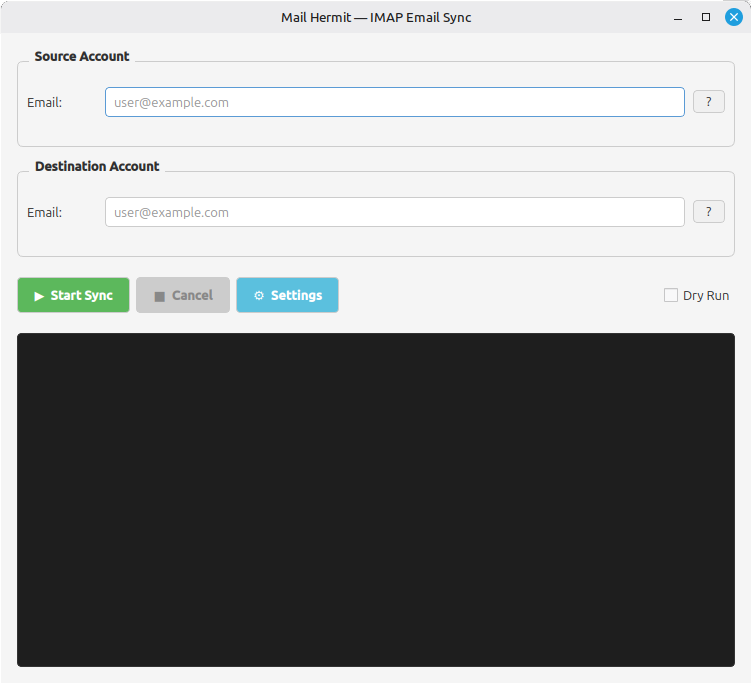
Easily move all your email messages from one provider to another using only your PC and secured IMAP connections.
⬇️ Download (beta) 📃 Overview
Downloads generously provided by Gitea - Thank you!






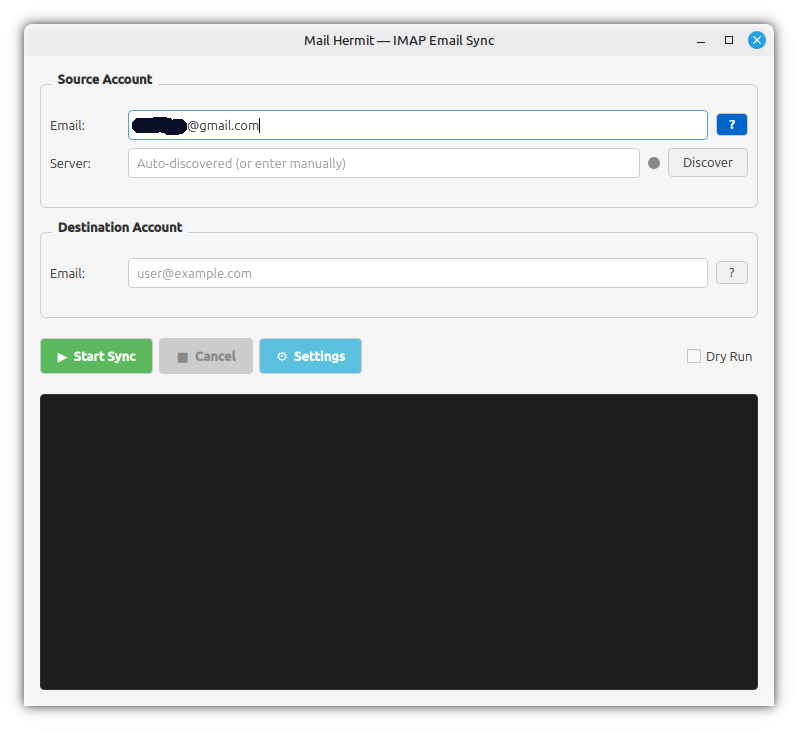
Once you enter a valid email address, Mail Hermit will activate the help button and provide you with the Server field. The help button will attempt to provide you with provider-specific instructions to guide you through the process.
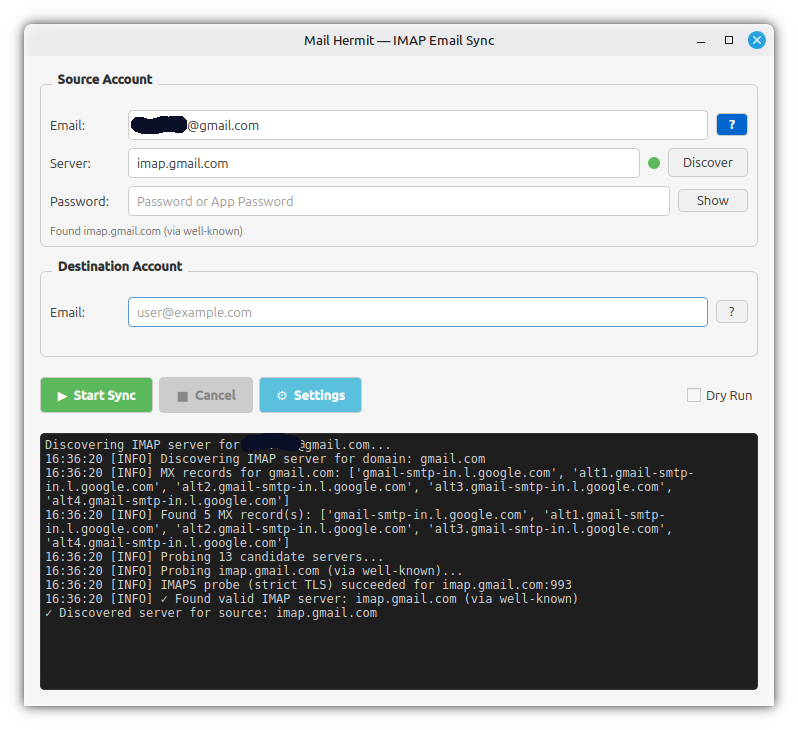
If you know your IMAP server address, you can enter it manually and Mail Hermit will verify it when you hit the Discover button. If you don't know your IMAP server address, you can click the Discover button and Mail Hermit can automatically find most secure IMAP servers.
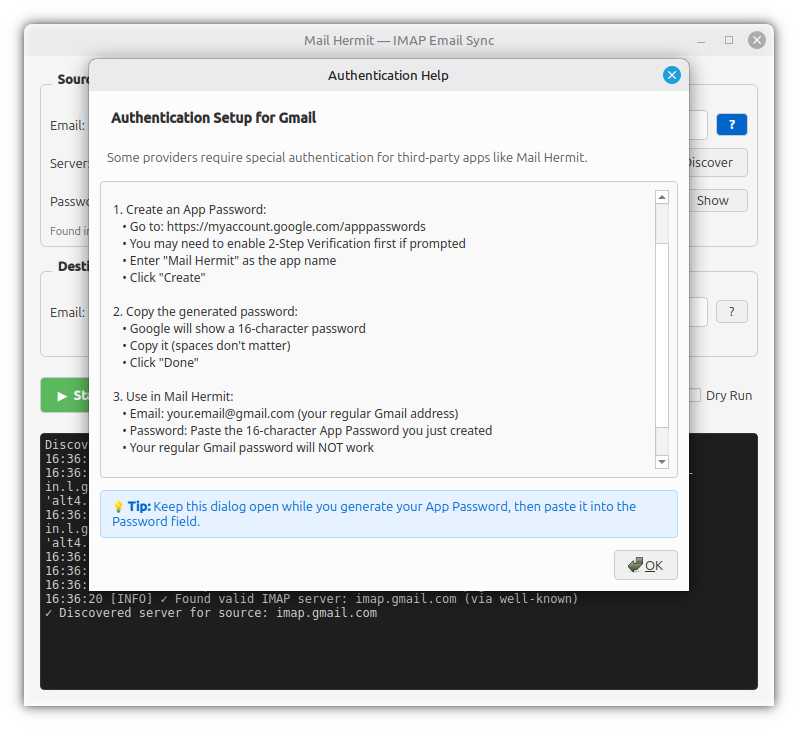
Some providers (like Gmail, Yahoo, etc.) require an "App Password" instead of your regular password. Mail Hermit can provide simple instructions on how to generate one using the help button next to your email address.
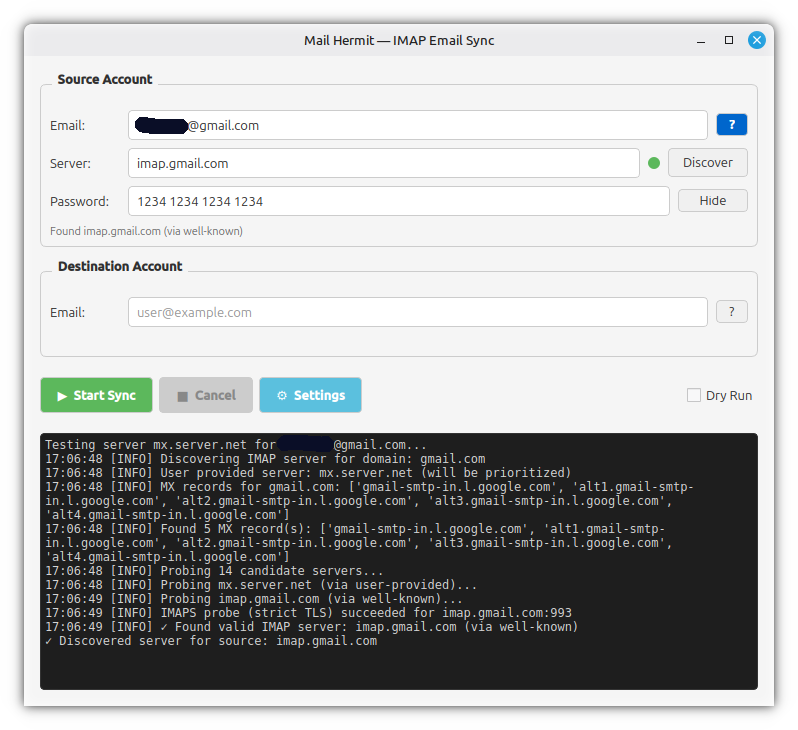
Once you have your "App Password", you can make sure you entered it correctly by clicking the "show/hide" button to reveal it. In the case of App Passwords, spaces (usually) don't matter.
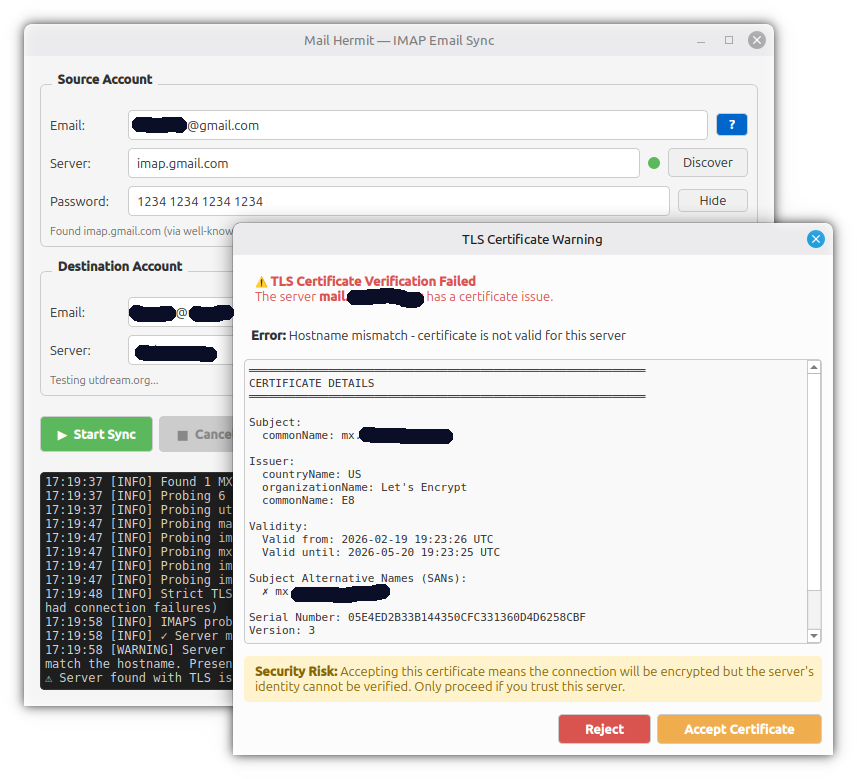
Configure the destination account where you want to copy your emails to. Mail Hermit will do everything it can to find a secure connection to both your source and destination accounts, but when it can't be sure, it will ask you to verify.
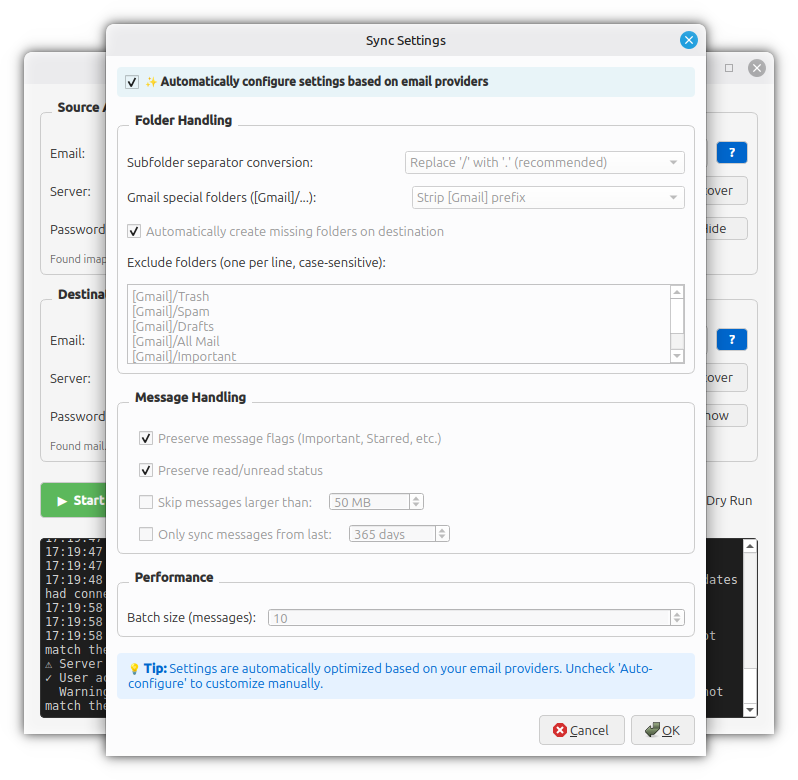
Mail Hermit will attempt to automatically detect the best settings for your mail transfer based on your source and destination accounts. However, if something doesn't work as expected, you can manually adjust the settings as needed and use the "Dry Run" option to test.
Your data stays local. Emails are transferred through your PC directly from your source to your destination.
Mail Hermit uses the TLS-encrypted connection that is already available from your email provider to transfer your emails securely.
Mail Hermit works with any email provider that supports the industry standard IMAP email protocol.
Mail Hermit is fast and efficient, transferring up to several hundred emails per second depending on your hardware and connection speed.
Mail Hermit is open source and free for everyone. Review the source code, watch what it does via the console window. Nothing is hidden.
Found a bug? Report it on our Gitea repository
Help Mail Hermit better serve its users. Write or suggest a guide on how to connect to a specific email provider or service.
Think Mail Hermit could be improved? Suggest or write a feature that would help make it even better!
Everyone needs a little help sometimes. You can answer questions and help other users in the community.